LOCAL ACHIEVEMENT SYSTEM FOR UNITY
Achievement Service
Turn progress into achievements. No server required.
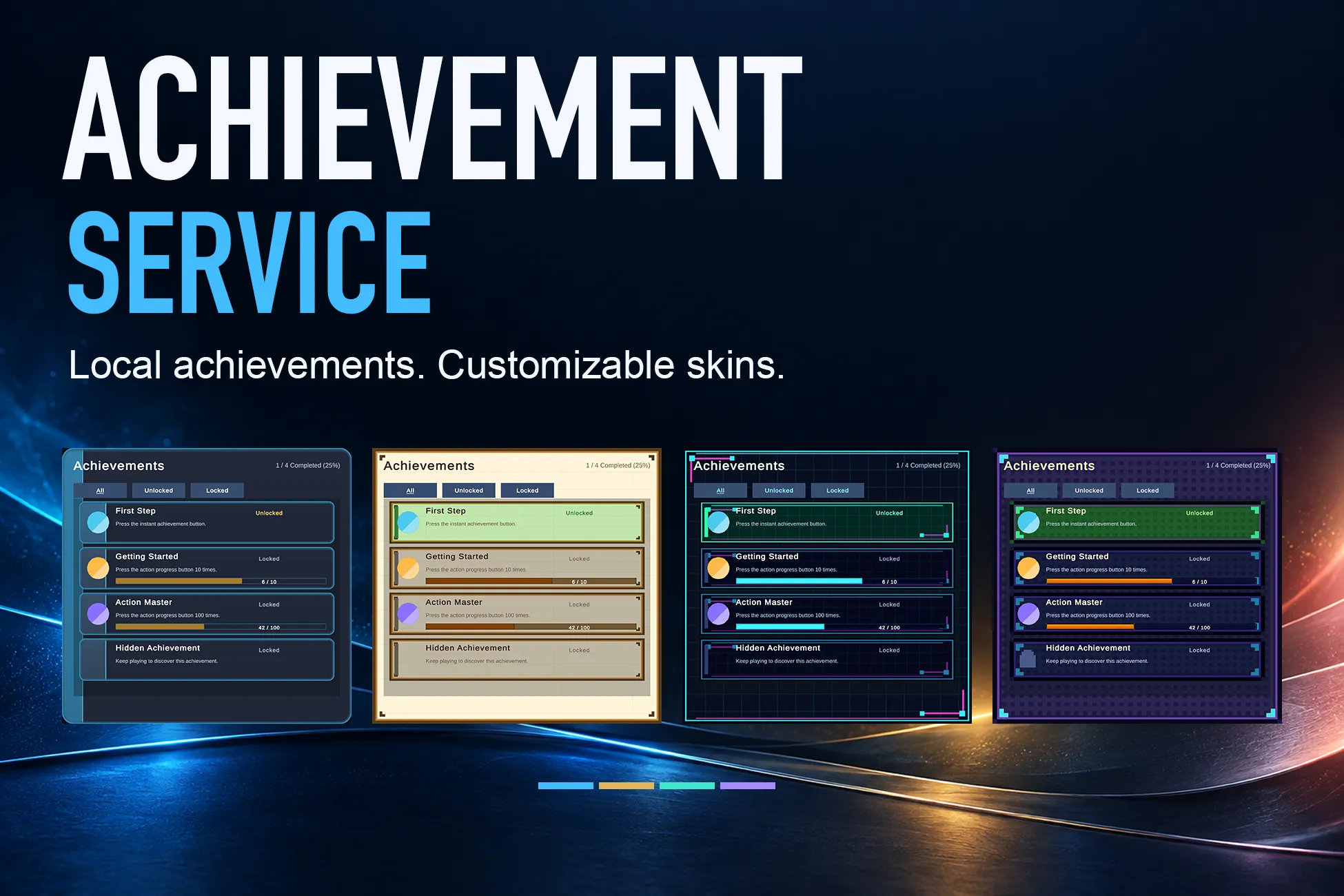
A Unity package that brings achievement tracking, unlock notifications, and local JSON storage together with customizable list and popup prefabs.
- LOCAL JSONProgress for each profile
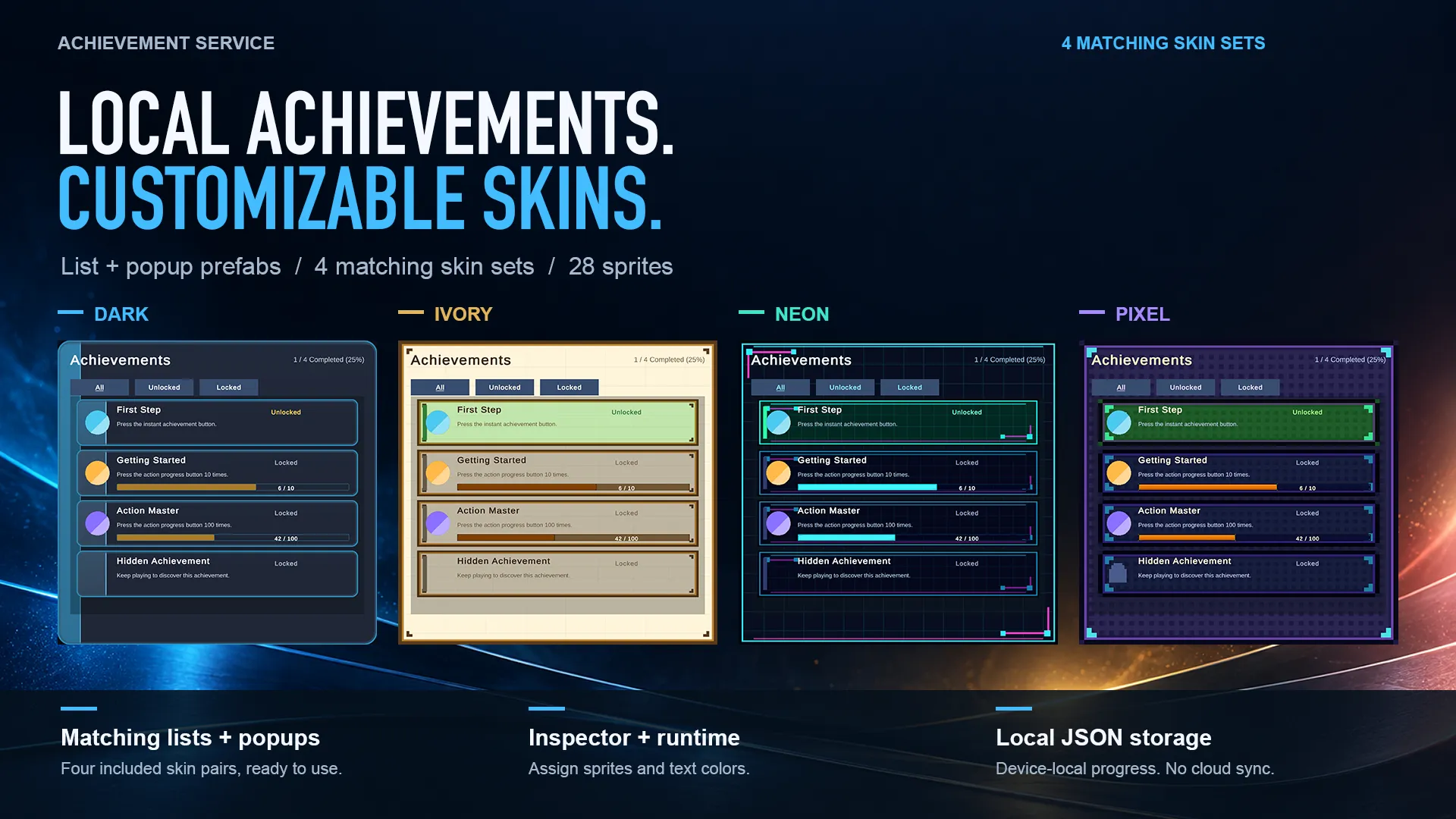
- 4 UI SKINSDark / Ivory / Neon / Pixel
- 28 SPRITESMatching lists and popups
READY-TO-USE
Give every milestone a place in your game
From a first victory to a hundred completed actions, give players goals they can see and progress they can keep. Achievement Service combines achievement definitions, progress tracking, lists, and notifications in one local package.
FEATURES
The essentials in a practical package
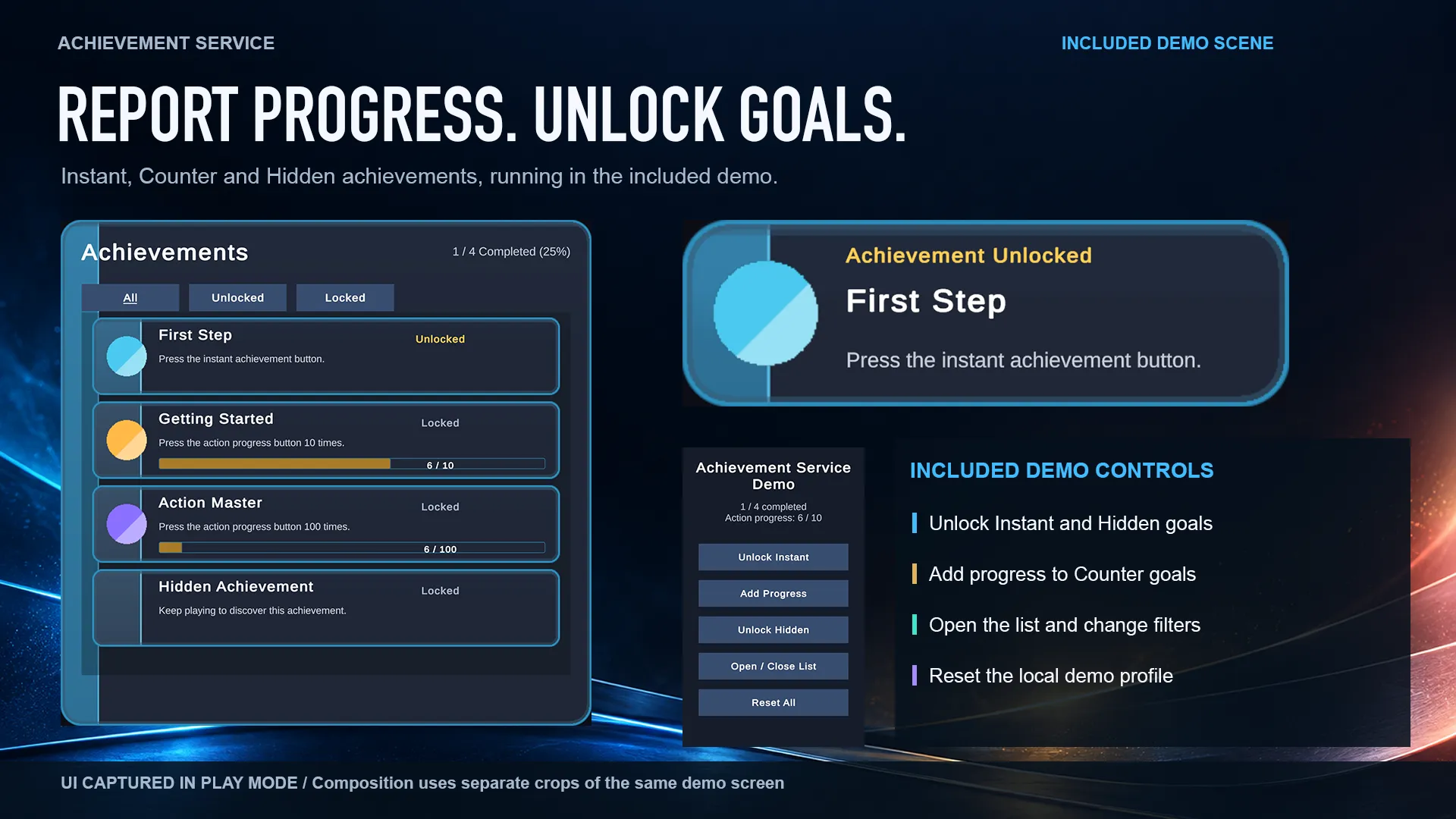
Instant, counter, and hidden goals
Unlock an achievement at once or track integer progress toward a target. Hide its name, description, and icon until it is unlocked.
Local saves for each profile
Keep independent progress for each local profile in JSON files. Backup recovery helps restore progress if a save file becomes corrupted.
Queued unlock notifications
Celebrate new achievements with popups shown in sequence. Configure display timing, animation, labels, and optional sound.
A clear view of player progress
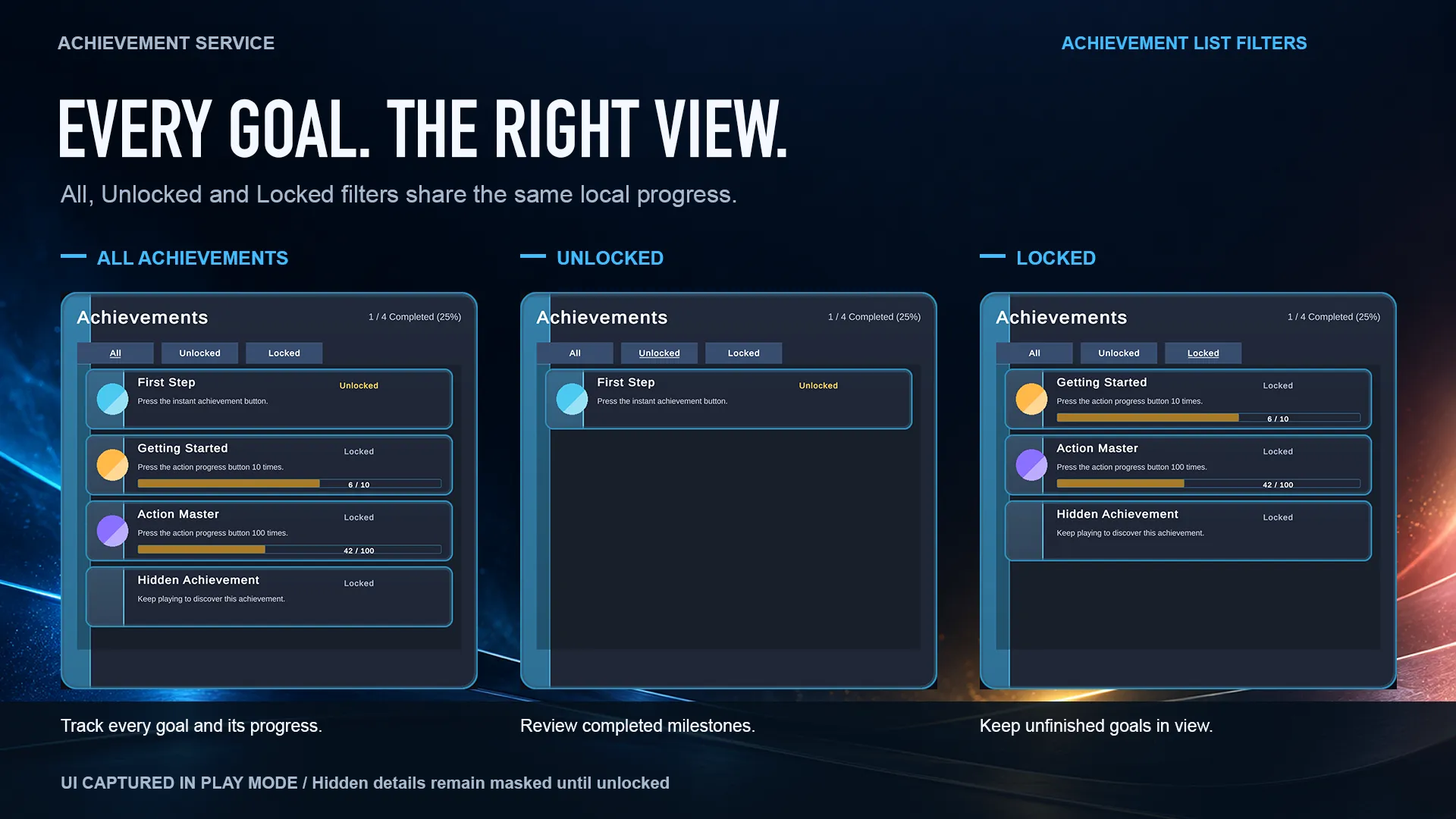
Show completion totals and counter progress bars. Filter the list by All, Unlocked, or Locked, and filter categories from code.
Four coordinated UI skins
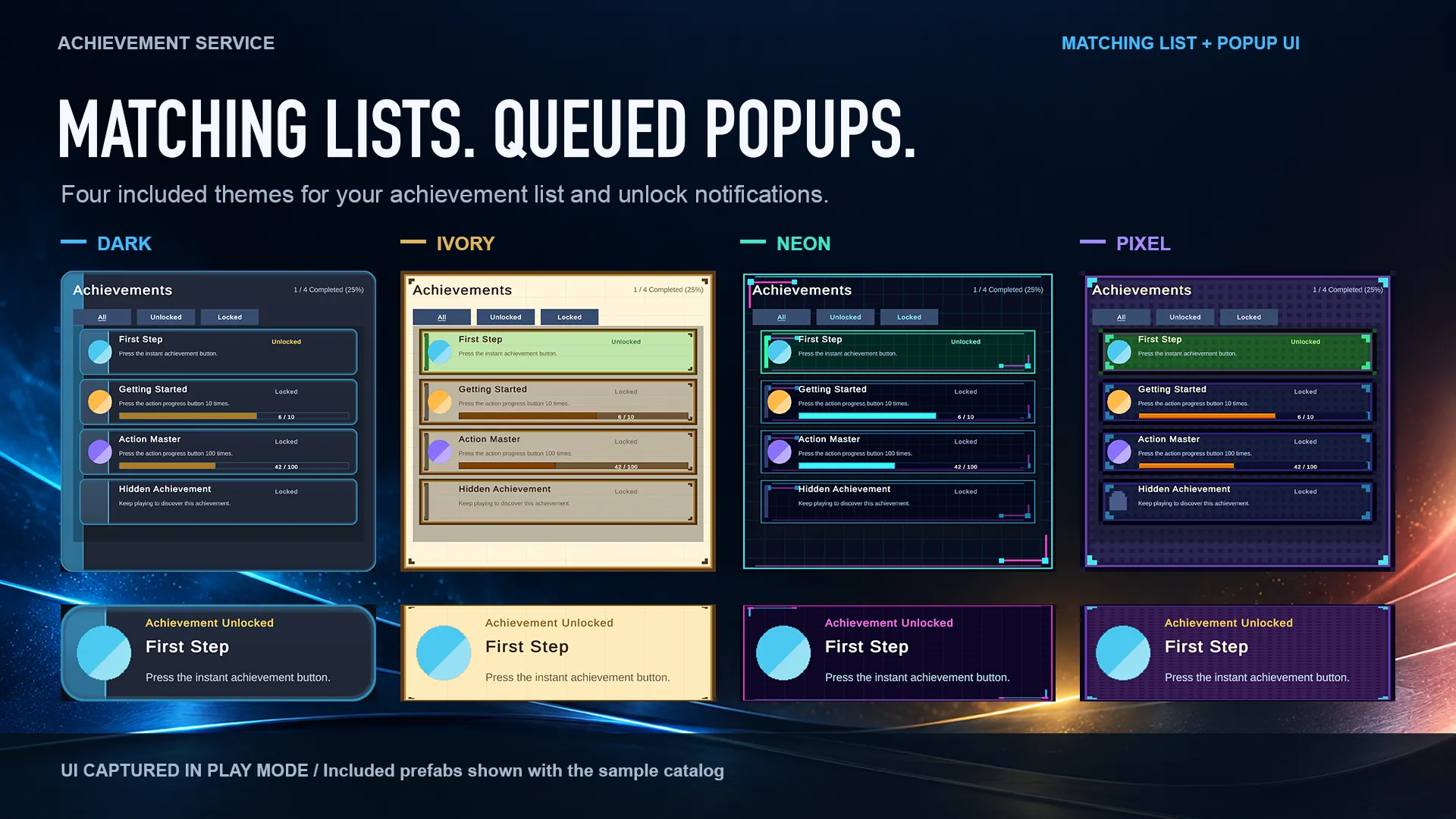
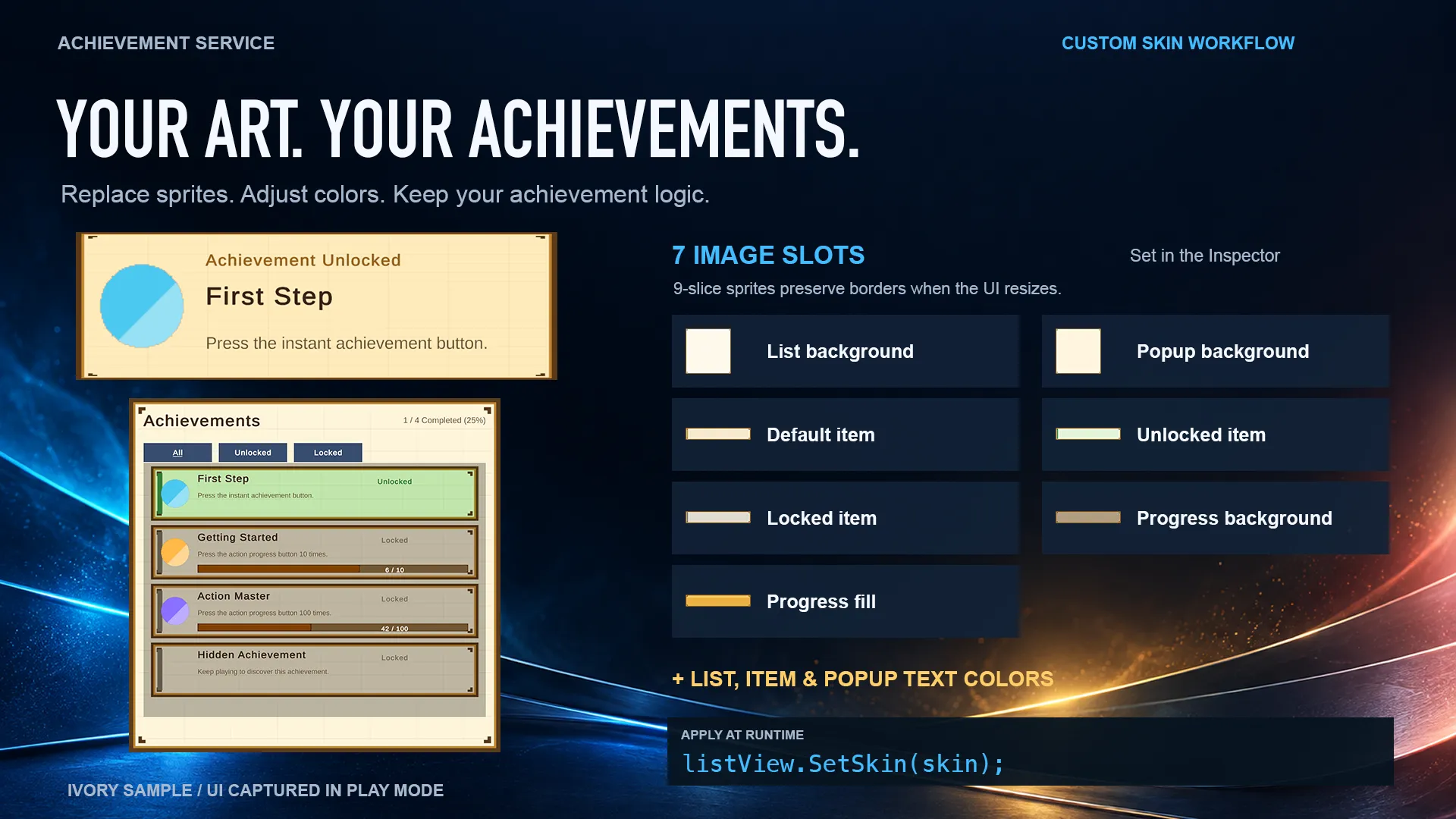
Dark, Ivory, Neon, and Pixel themes include matching lists and popups. Customize sprites and text colors in the Inspector or at runtime.
A small API, with tools to get started
Define achievements in a ScriptableObject catalog and report progress from C#. A demo, sample catalog, editor debugging tools, and source code are included.
UI STYLES
Match your achievements to your game
Four coordinated themes built with TextMeshPro and Unity UI (uGUI). Use the included prefabs or assign your own sprites and colors to the seven image slots, with skin previews available in Edit Mode.
SIMPLE INTEGRATION
Report an unlock or a step forward
Place the service prefab in your scene, assign a catalog, and report completed conditions from your game code. These examples use IDs from the included sample catalog. The list and popup queue respond to updates automatically.
using GrowthSoftware.AchievementService.Runtime;

// Unlock an instant achievement
AchievementService.Instance.Unlock("FIRST_ACTION");

// Add one unit to a counter
AchievementService.Instance.AddProgress("ACTION_10");
PACKAGE DETAILS
Package contents and requirements
- Distribution
- Unity Asset Store
- Tested Unity version
- Unity 6000.3.12f1 / macOS Editor
- UI
- TextMeshPro / Unity UI (uGUI); TMP Essential Resources required
- Render pipelines
- Built-in clean import and URP 17.3.0 runtime verified. HDRP compatible by design, but untested.
- Other environments
- Other Unity versions, standalone players, mobile, and WebGL have not been tested.
- Storage
- Local JSON with separate profiles and backup recovery
- Prefabs
- Five service/popup prefabs, five lists, one reusable item, and one demo panel
- Artwork
- 28 sample skin sprites across four themes
- Documentation and tools
- One demo scene, four sample achievements, editor debugging tools, offline documentation, and C# source
- Demo input
- Input Manager (Old) or Both. For new-Input-System-only projects, replace the demo EventSystem input module with InputSystemUIInputModule.
- Runtime networking
- No account, subscription, or internet connection required
GET STARTED
Bring your players’ milestones to life.
Add achievement tracking, unlock notifications, and a customizable UI to your game. Contact us if you have questions about its features or integration.