LOCAL PLAYER STATISTICS FOR UNITY
Player Stats Service
Every play. A lasting record.
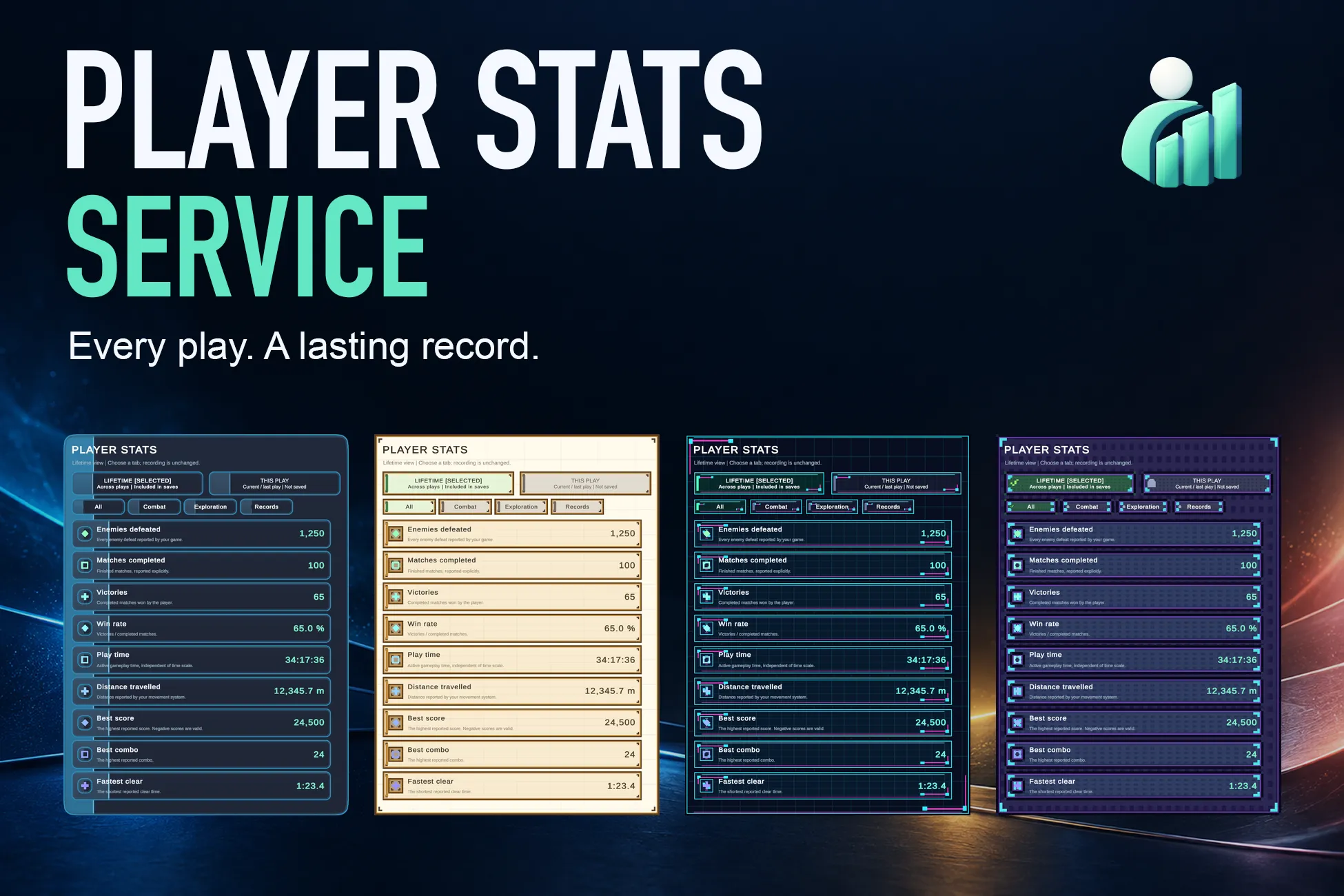
Track the numbers that matter to your game. Bring counters, personal records, per-play statistics, and local lifetime saves together with an optional stats screen.
- LOCAL JSONLifetime totals for each profile
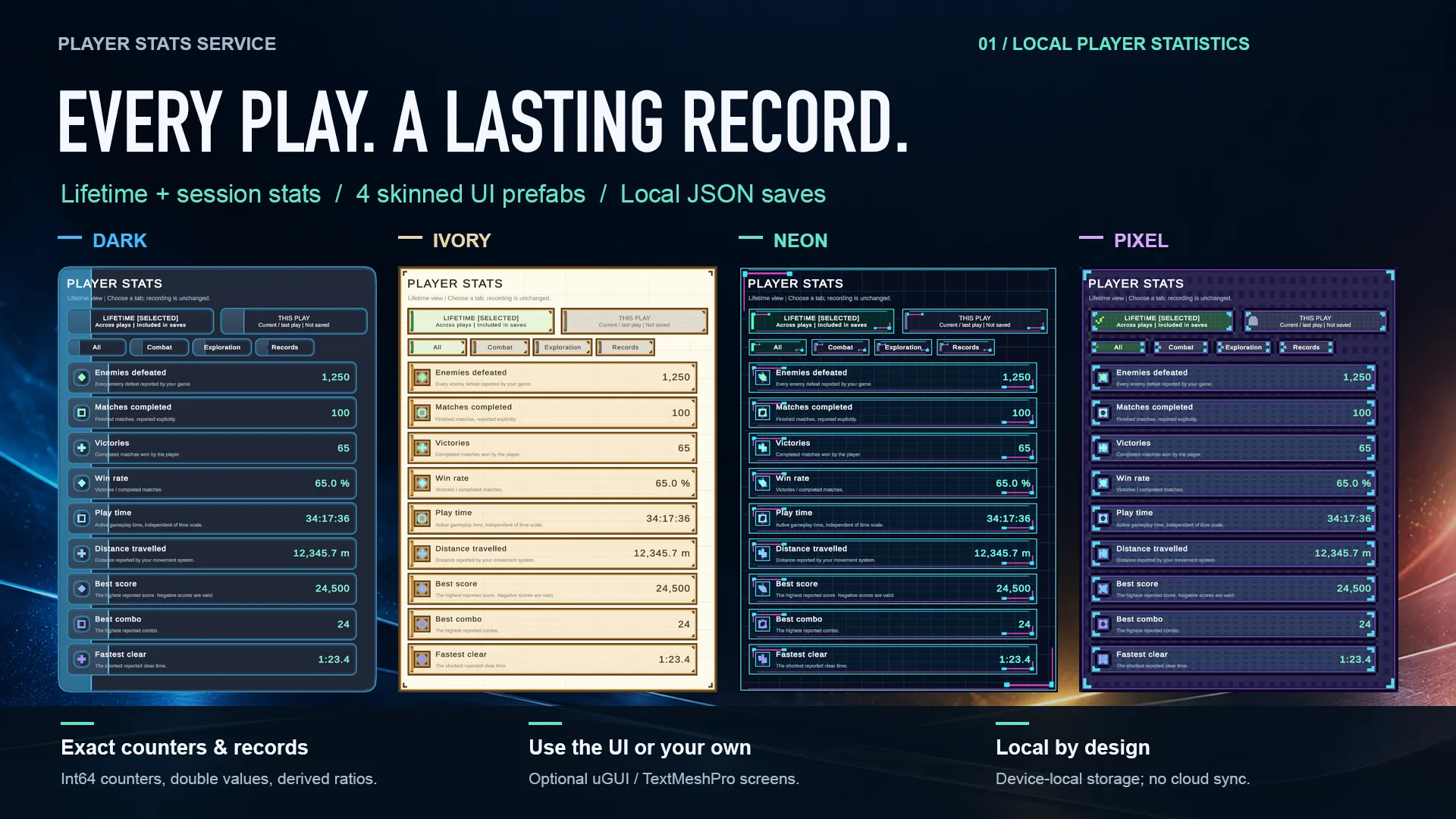
- 4 UI SKINSDark / Ivory / Neon / Pixel
- 3 DEMOSQuickStart / FeatureDemo / Micro Shooter
YOUR GAME, YOUR STATS
Make every run part of a bigger picture
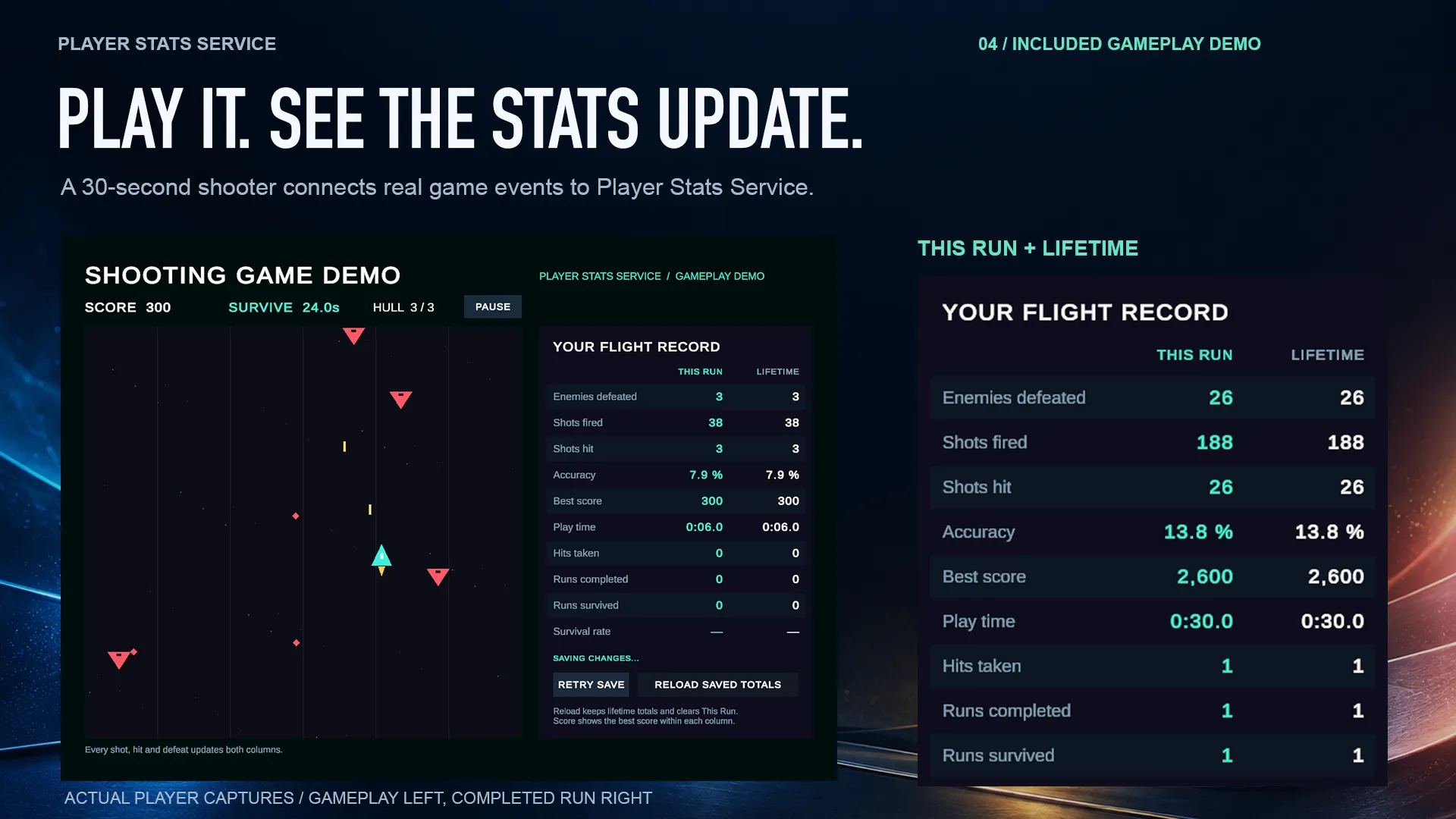
Enemies defeated, matches completed, distance travelled, or a new personal best: define your statistics in a catalog and report confirmed events from your game. Show the current play alongside lifetime totals, without setting up a server.
FEATURES
From an event to a readable record
Counters and personal records
Use exact Int64 counters or Double measurements. Sum accumulates increments; Maximum and Minimum keep the best reported value for each definition.
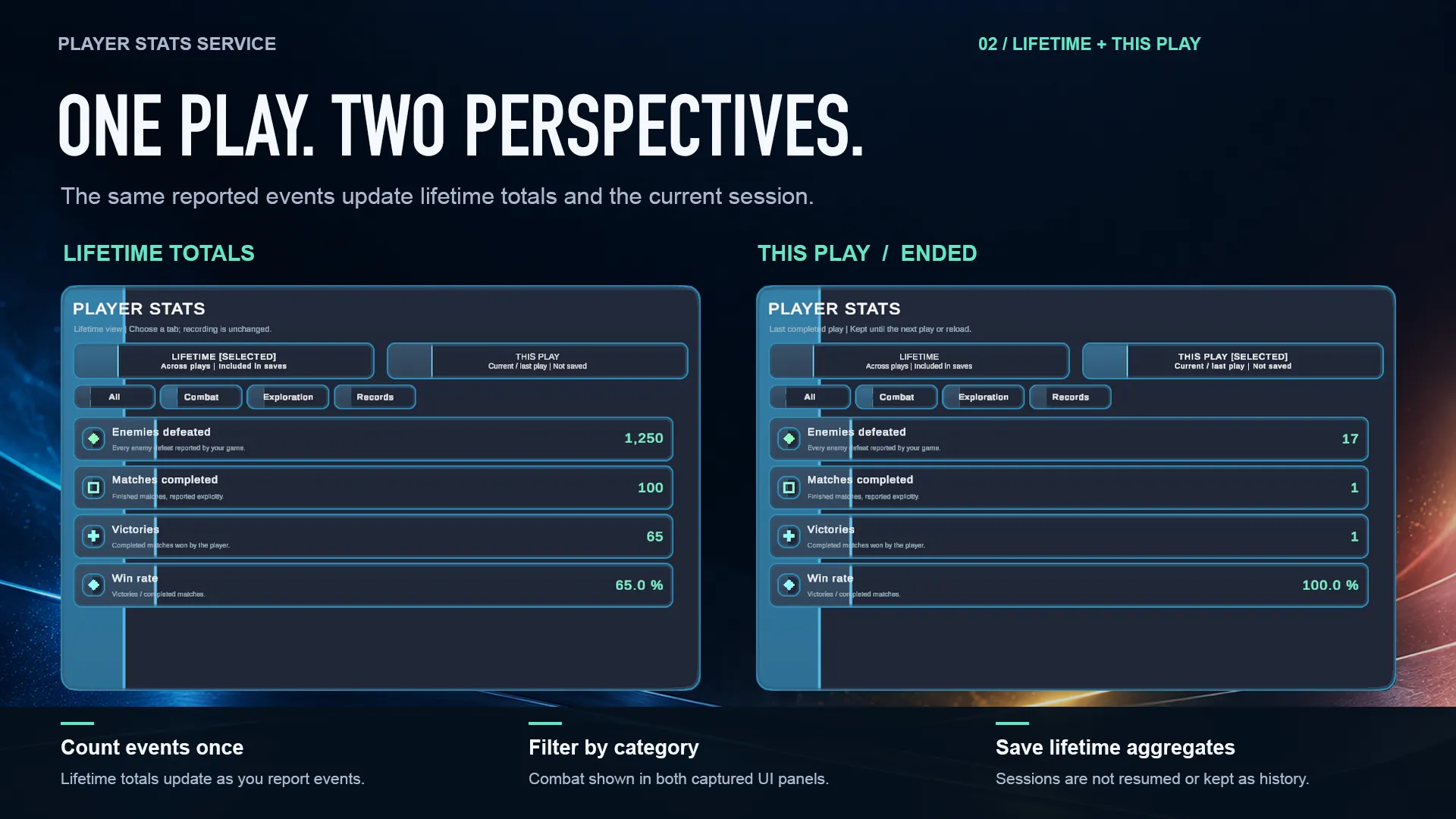
Lifetime and explicit sessions
Start and end a session from your game. Accepted reports update lifetime immediately and also the active session; ending it never adds the values a second time.
Derived ratios
Display a win rate or accuracy as a read-only quotient of two Sum/Int64 counters. A zero denominator produces an unrecorded value, not a misleading percentage.
Profile-separated JSON saves
Save aggregated lifetime values locally for each profile, with autosave attempts and backup recovery. Current sessions and a history of previous sessions are not saved.
Optional statistics screens
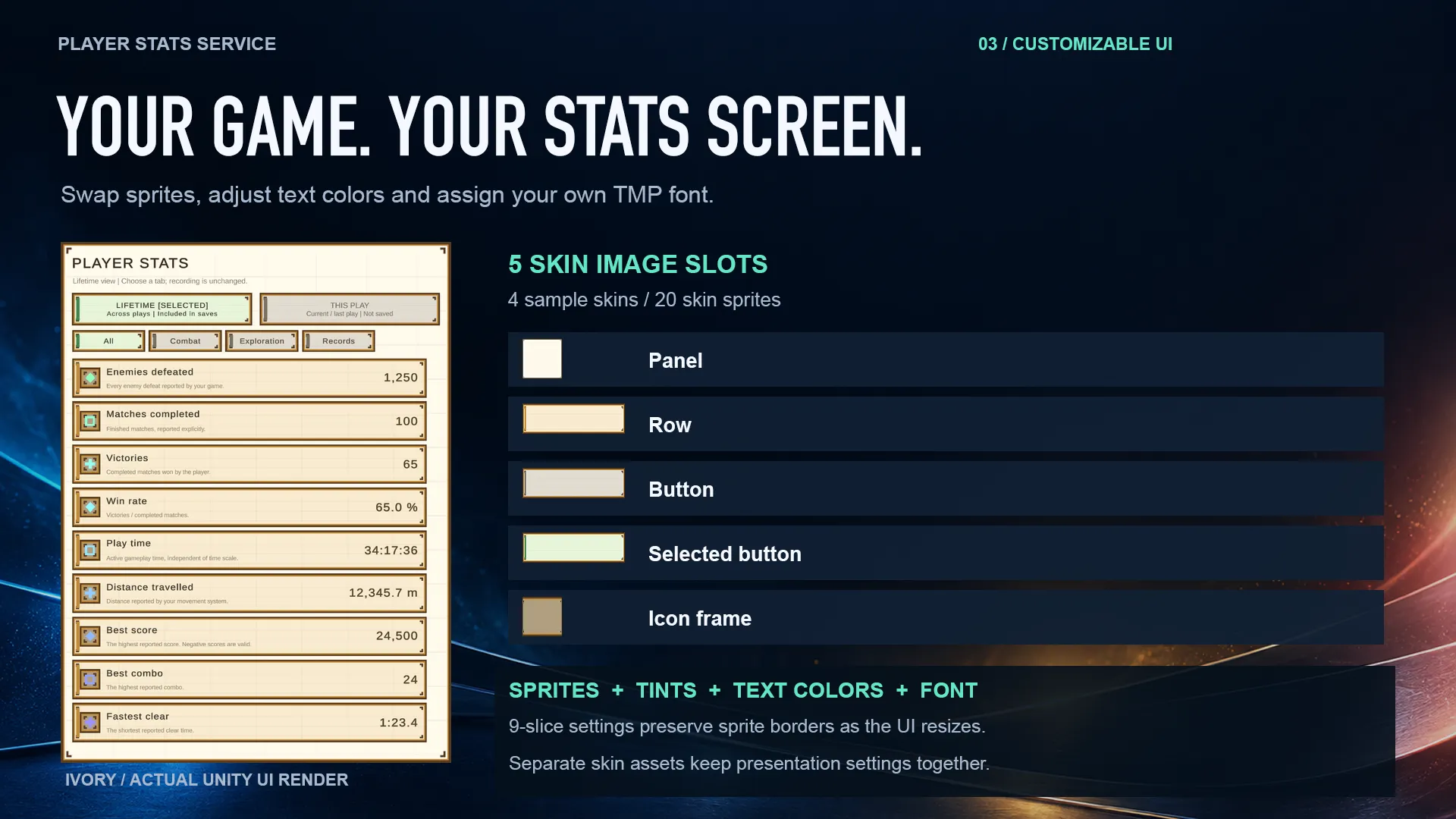
Combine Lifetime / This Play and category filters in a scrolling uGUI/TextMeshPro list. Four skins support custom sprites, text colors, fonts, units and number formatting.
Three ways to learn the workflow
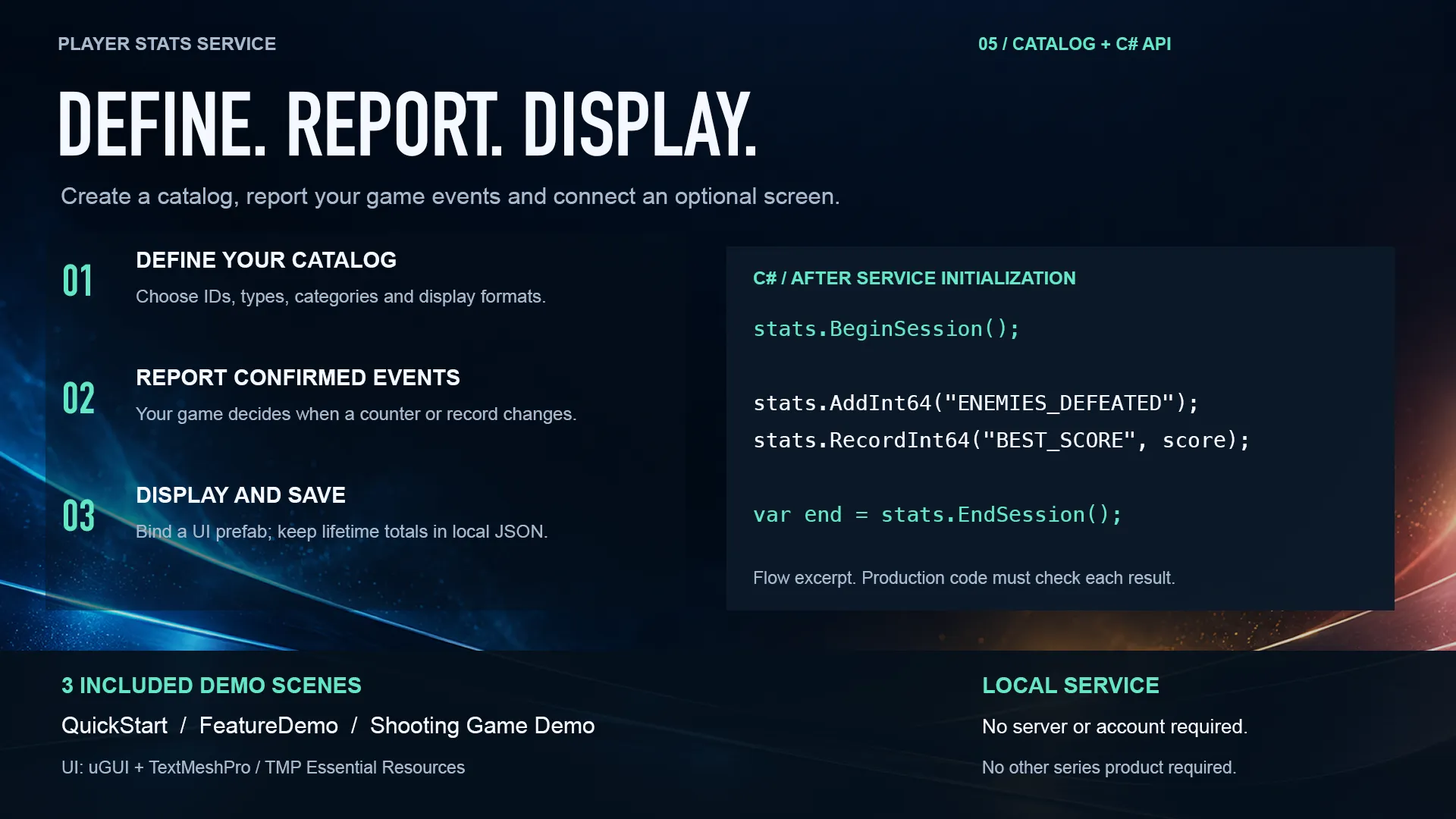
Start with QuickStart, explore sessions and profiles in FeatureDemo, or play Micro Shooter to see real game events feed the statistics. Catalog tools and C# source are included.
SCREENS & WORKFLOW
A clear view of every play
Use the included Dark, Ivory, Neon and Pixel canvases, customize five skin image slots, or build your own display. The statistics service works without the optional UI or other Growth Software products.
GAME-SIDE REPORTING
Report the event when it happens
Assign an initialized service using SampleCatalog to this component, then call EnemyDefeated once for each confirmed defeat on the Unity main thread. BeginSession and EndSession are explicit game-side decisions; reports outside an active session update lifetime only.
using UnityEngine;
using StatsService = GrowthSoftware.PlayerStatsService.Runtime.PlayerStatsService;

public sealed class DefeatReporter : MonoBehaviour
{
    // Assign an initialized service with SampleCatalog.
    [SerializeField] private StatsService stats;

    // Report each confirmed defeat once.
    public void EnemyDefeated()
    {
        var result = stats.AddInt64("ENEMIES_DEFEATED");
        if (!result.Success) Debug.LogWarning(result.ErrorCode);
    }
}
PACKAGE DETAILS
Contents and verified setup
- Unity validation
- r6 clean-import Editor tests passed on macOS with Unity 6000.3.12f1 and 6000.6.0f1, using Built-in rendering.
- UI
- Unity UI (uGUI) and TextMeshPro; import TMP Essential Resources separately.
- Demo input
- Input System 1.20.0 and Input System Package (New). Core, Runtime and the reusable UI have no Input System dependency.
- Values
- Int64 / Double; Sum / Maximum / Minimum; read-only ratios between Sum/Int64 counters.
- Persistence
- Local JSON stores aggregated lifetime values for each profile. Sessions remain in memory only.
- Screens
- Four Canvas prefabs, a service prefab, reusable row, four skins and 20 skin sprites.
- Demos
- QuickStart, FeatureDemo and playable Micro Shooter (Shooting Game Demo).
- Documentation
- English user guide and API reference, Japanese introduction, integration examples and editable C# source.
- Other environments
- Final-package standalone Player and physical-input checks remain to be confirmed. HDRP, Android, iOS and Web are unverified.
- Runtime networking
- No account, server, subscription or network connection required.
PLAN YOUR INTEGRATION
Give players a record of their progress.
Explore the features and included demos, or contact us with questions about the package and its integration.